
Typing Speed Test
A modern, feature-rich Typing application
About the Project
⚓︎Introduction
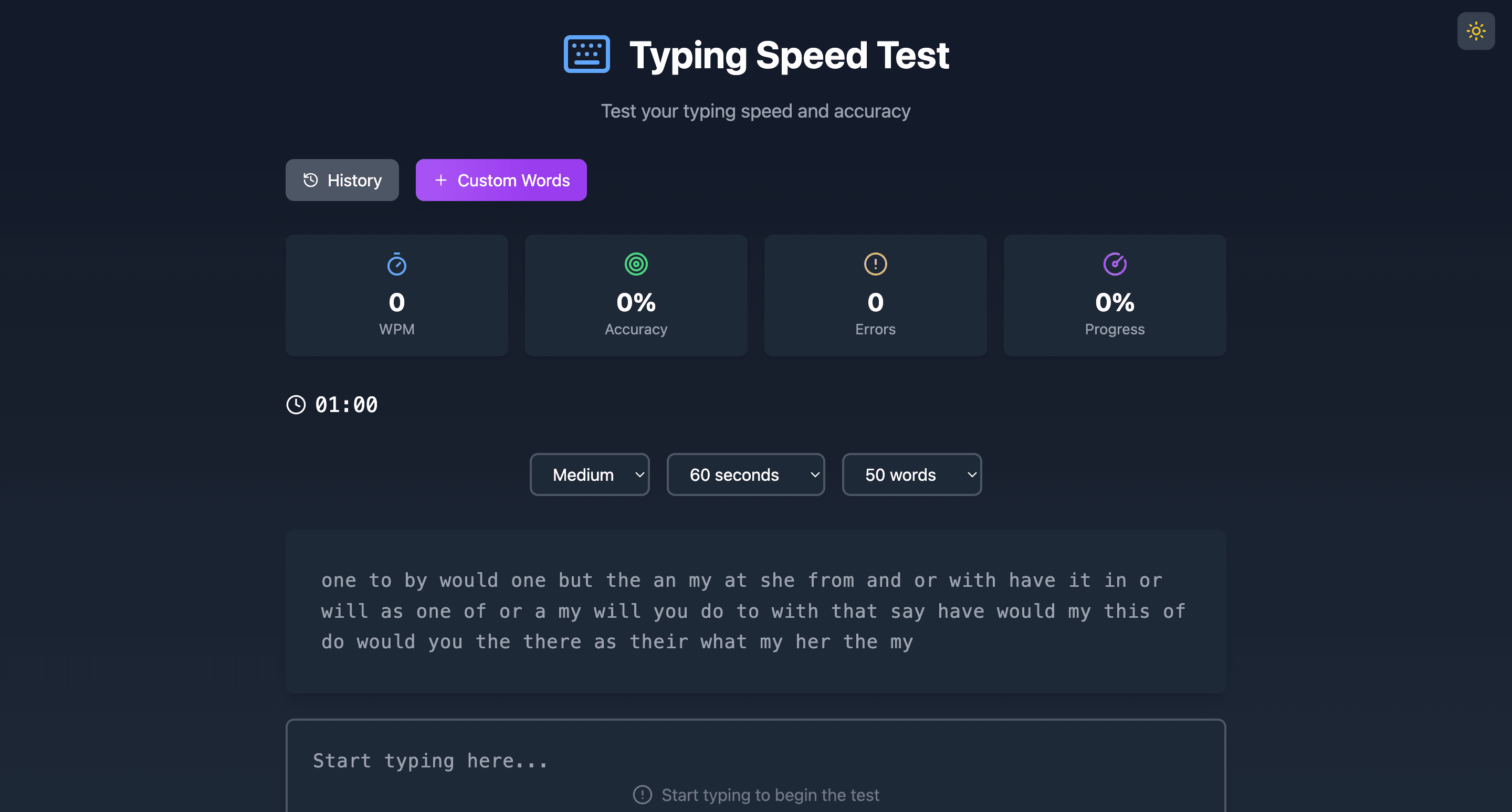
This application provides a user-friendly platform for practicing and enhancing typing skills. With multiple difficulty levels, customizable test durations, and progress tracking, it caters to users of all proficiency levels. Whether you're a beginner or an experienced typist, the Typing Speed Test offers tools to monitor and improve your typing accuracy and speed.
⚓︎Features
Core Functionality
- Real-Time Metrics: Tracks Words Per Minute (WPM), accuracy, and errors while you type.
- Customizable Options:
- Difficulty Levels: Easy, Medium, Hard.
- Test Durations: 30s, 60s, 120s, or 300s.
- Word Counts: 25, 50, 100, or 200 words.
- Support for custom word lists.
- Dark/Light Theme Toggle: Switch between themes with smooth transitions.

Performance Metrics
- Words Per Minute (WPM): Measures typing speed.
- Accuracy Percentage: Calculates precision in real-time.
- Error Count: Tracks mistakes and incorrect entries.
- Progress Monitoring: Shows completed vs total characters.
- Time Remaining: Displays countdown during the test.
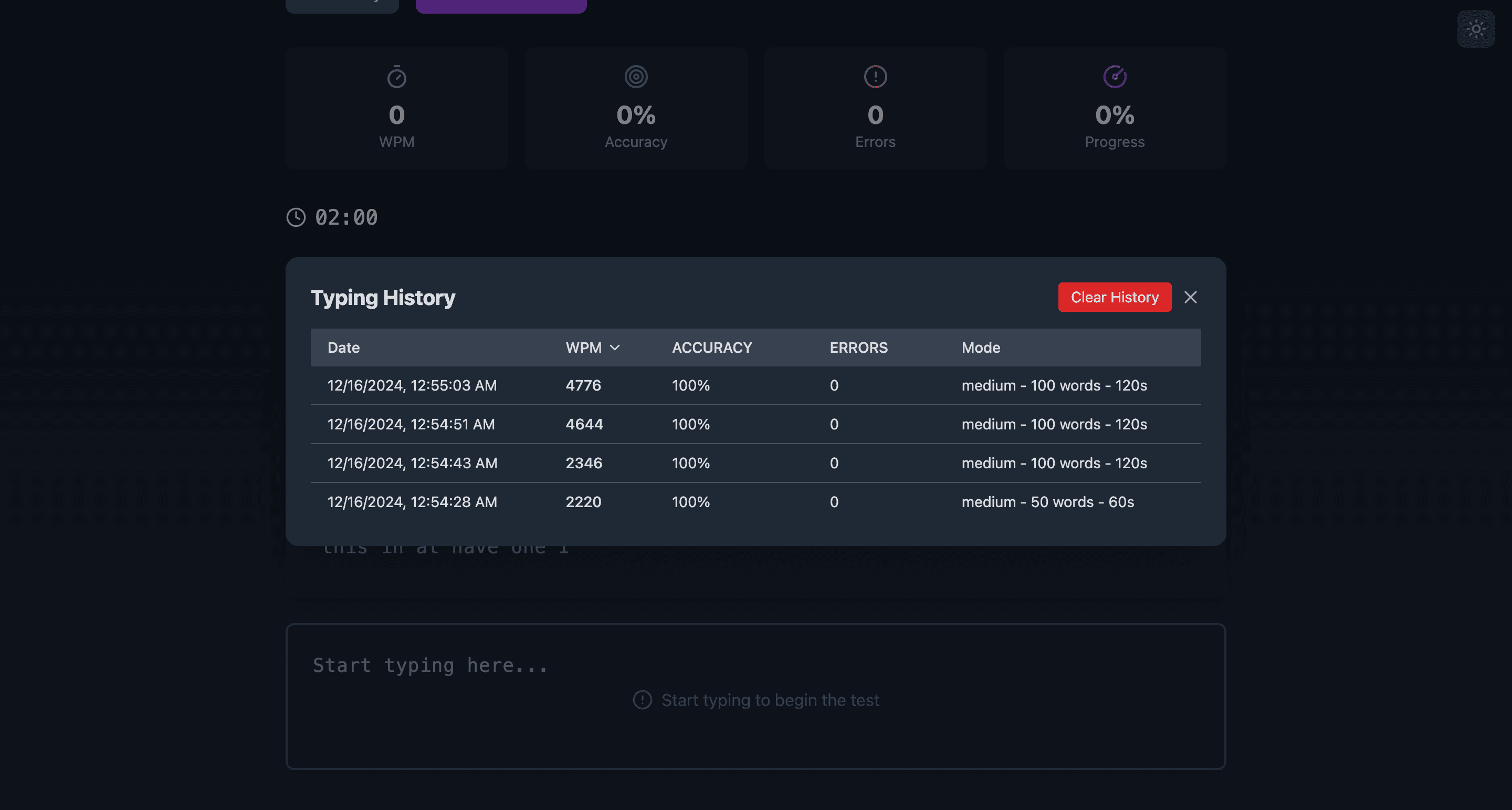
Test History and Statistics
- History Tracking: Saves past test performances.
- Sortable Results: Organize history by WPM, accuracy, or errors.
- Persistent Data: Performance data and settings are saved locally.
⚓︎Technical Implementation
Core Technologies
- React 18: For creating dynamic user interfaces.
- TypeScript: Ensures type safety and error reduction.
- Tailwind CSS: Provides a utility-first styling framework.
- Lucide React: Icon library for UI elements.
- Canvas Confetti: Adds celebratory animations on test completion.
State Management
- React Hooks: Used for managing component states.
- LocalStorage: Stores theme preferences, custom word lists, and test history.
Key Components
- Timer: Handles test countdown and updates.
- Typing Area: Displays test text and validates input in real time.
- Stats: Tracks and displays typing metrics during and after the test.
- Controls: Allows users to customize test options like difficulty and duration.
- Custom Word List Manager: Enables creation and selection of personal word lists.
- History Viewer: Displays sortable test history.
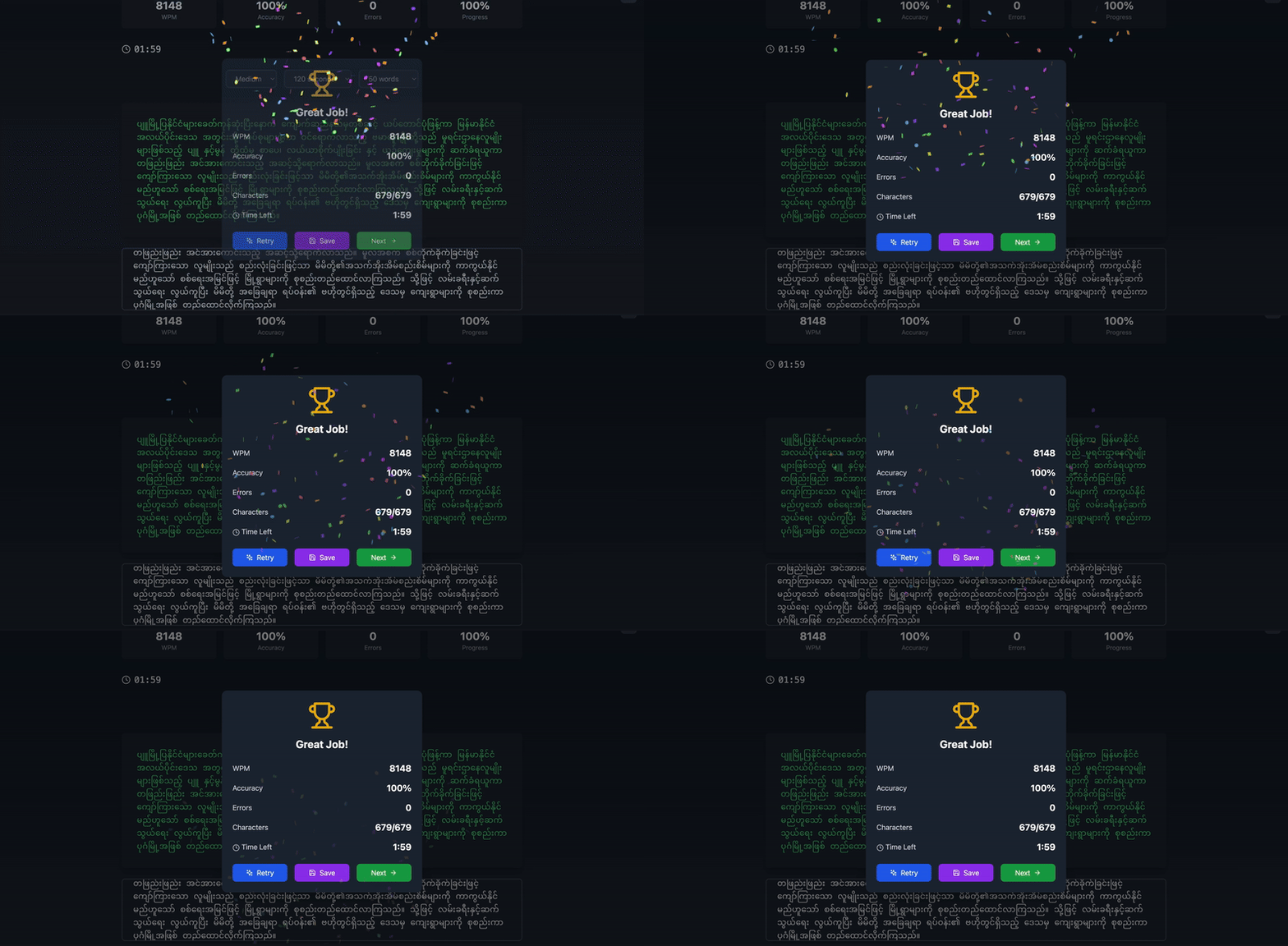
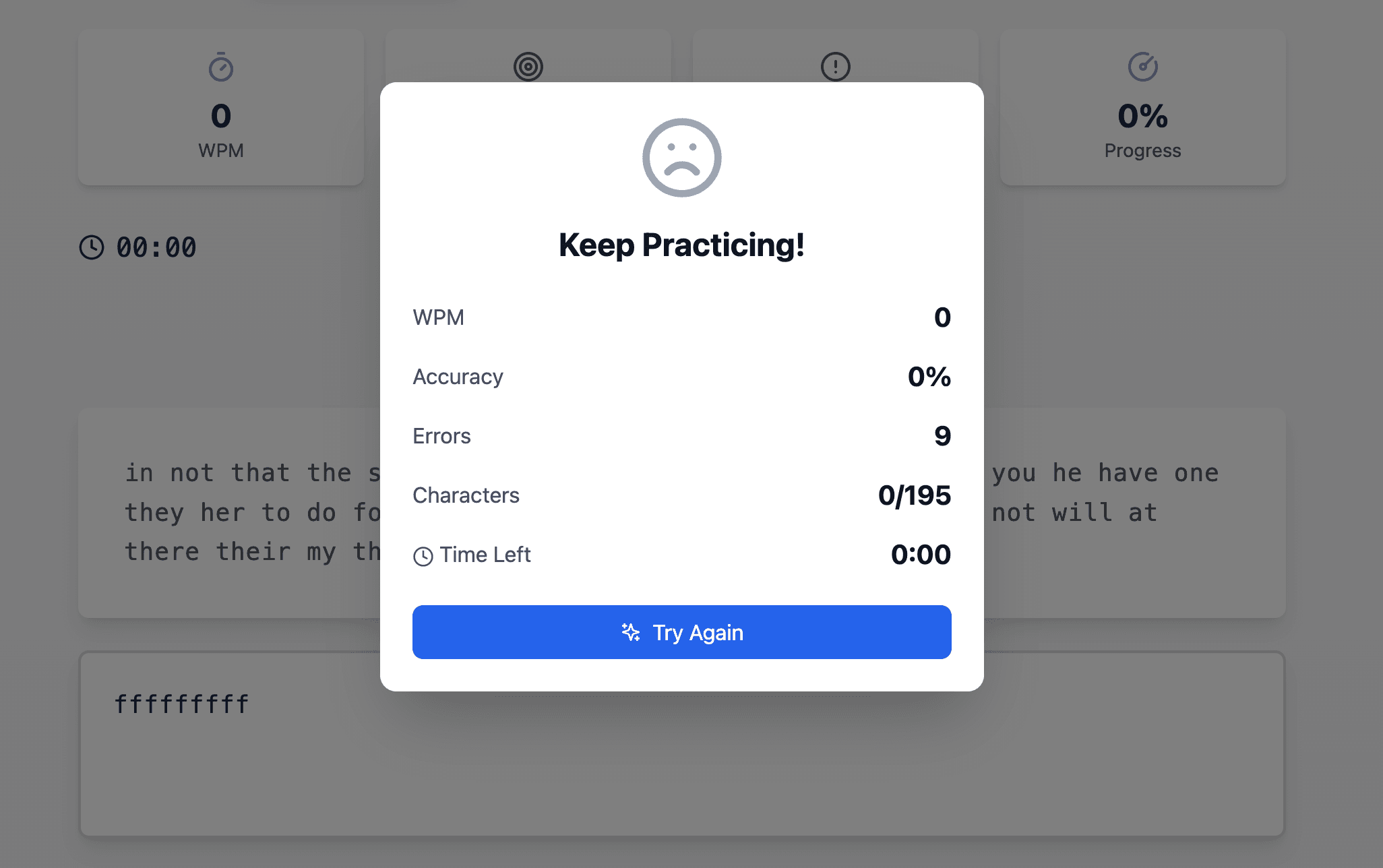
- Finish Modal: Summarizes performance metrics after each test.
- Theme Toggle: Manages dark/light mode preferences.
Data Flow
- User starts typing, triggering the test logic.
- Metrics update in real-time as the input is validated.
- Test completion stores results in history and shows performance feedback.
- All data persists across sessions for consistent user experience.
⚓︎User Interface
Design Principles
- Minimalist Design: Clean and intuitive layout.
- Responsive UI: Optimized for both desktop and mobile devices.
- High Contrast: Ensures readability.
- Smooth Animations: Provides fluid interactions.
Visual Feedback
- Color-coded text for correct and incorrect entries.
- Progress bar indicating completion percentage.
- Error highlights and success celebrations.
⚓︎Best Practices
Performance Optimization
- Efficient state updates and memoized callbacks.
- Local storage caching for quick access to settings and history.
Accessibility
- Full keyboard navigation support.
- High contrast design for visual clarity.
- Compatible with screen readers.
Error Handling
- Input validation for edge cases.
- Graceful fallbacks for storage or runtime issues.
⚓︎Future Enhancements
- Multiplayer support for real-time competition.
- Additional difficulty levels and test configurations.
- Custom themes for personalization.
- Achievement system with badges and rewards.
- Social sharing options for test results.
- Dedicated practice modes for targeted improvement.
- Integration of learning resources and tutorials.
- Advanced performance analytics for detailed insights.
⚓︎Conclusion
The Typing Speed Test combines intuitive design with powerful features to deliver a seamless typing improvement experience. With real-time metrics, customizable settings, and persistent history tracking, the app empowers users to track their progress and refine their skills. Future updates will further expand its functionality, offering an engaging platform for typists of all levels.
Happy Coding! 🎉